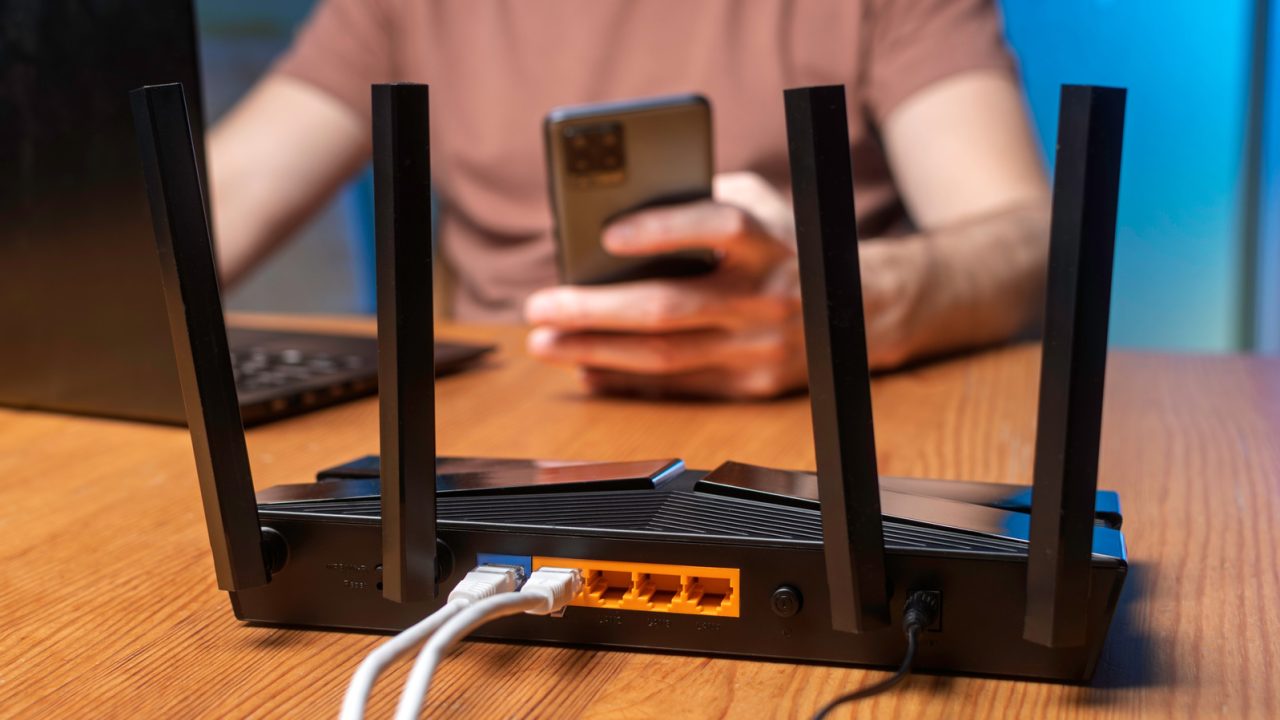
Home networks face increasing strain as the number of connected devices grows, often leading to performance issues such as video buffering, gaming lag, and slowed download speeds. Even high-end smartphones can consume significant bandwidth individually, but the cumulative load of multiple devices vying for connection capacity can quickly overwhelm standard routers and internet service provider (ISP) plans.
Network bottlenecks typically stem from two main areas: the incoming ISP connection and the local Wi-Fi signal provided by the router. Upgrading one component does not necessarily solve the problem caused by the other; for instance, a faster router cannot compensate for a slow ISP plan, just as a high-speed data plan cannot fix a weak Wi-Fi signal in a poorly placed room.
To manage these constraints, users are encouraged to estimate the simultaneous bandwidth requirements of their household devices. For example, streaming a single 4K video on Netflix requires a stable connection of at least 15 Mbps. If a home has ten active devices, each potentially using 10 Mbps, the total demand reaches 100 Mbps—the current minimum broadband standard set by the FCC—leaving little margin for error. While actual usage fluctuates, this calculation helps identify when bandwidth limits are being reached. Additionally, upload speeds, which are generally slower than download speeds due to asymmetrical broadband plans, remain critical for video calls and smart home security footage.
For most households, a single router or a mesh Wi-Fi system is sufficient, with additional hardware only necessary in specific cases, such as when ISP wiring forces a gateway into a poor location. Connecting stationary devices like computers and televisions via Ethernet cables can further alleviate Wi-Fi congestion. When upgrading hardware, it is important to check configurations to avoid issues like double NAT, which can disrupt online gaming and port forwarding. By assessing specific bandwidth needs and adjusting network setups accordingly, residents can maintain a stable connection without necessarily purchasing expensive new equipment.

Wait, does this mean I have to pay for faster internet? Or just move my router? Confused about the costs.
I checked my router logs and it is indeed saturated during peak hours. Surprised by how much bandwidth that fridge uses.
Finally, some practical advice! Swapping my TV to Ethernet fixed the buffering issues instantly. No need for expensive gear.