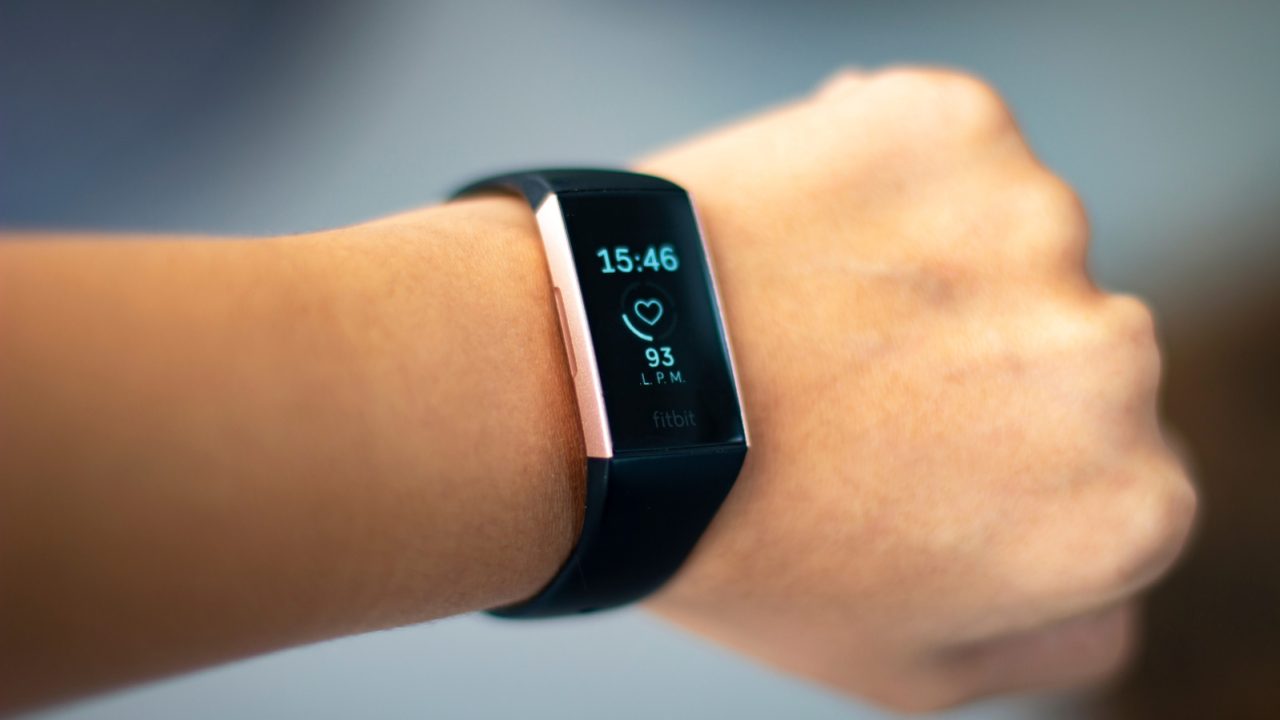
Users encountering significant performance issues with their Fitbit wearables may need to distinguish between a standard restart and a full factory reset. While a restart is akin to power cycling the device to resolve minor sync errors or unresponsive screens, a factory reset erases all unsynced settings and local data, returning the wearable to its original out-of-the-box state.
A factory reset is recommended when gifting or selling the device, ensuring data privacy before recycling a broken unit, or serving as a last-resort troubleshooting measure when standard restarts fail to resolve problems such as frozen screens or boot loops.
The procedure varies significantly by model. For modern devices with screens, users should navigate to Settings, then About, and finally select Clear User Data or Factory Reset on the Device Info page. Confirmation may require pressing and holding a button until a vibration is felt and the Fitbit logo reappears. The newer Fitbit Edge streamlines this process, allowing users to swipe down from the top of the screen to access Settings and select Clear User Data directly.
For older trackers without screens, such as the Fitbit Flex, the reset process often involves connecting the sensor to a charger and using a paperclip to press a specific reset hole for three seconds until the device lights up to confirm the reset.
The screenless Fitbit Air lacks a traditional factory reset option. Instead, users must place the device on its charger and hold the back button for 10 seconds until the status light flashes white to restart it. To fully clear account data on this model, users should manually unpair the device via the Google Health app or their phone’s Bluetooth settings before handing it off to a new owner.
It is crucial to note that a factory reset deletes all locally stored information, including morning alarms, goals, notification settings, and unsynced activities. However, data that has already been synced to the Google Health app, such as historical step counts and workout logs, remains intact. Once the reset is complete, the device functions as a new unit, requiring users to re-pair and sync it with their accounts. Users should exercise patience, as accurate data tracking may take some time to resume after the reset.

Haha, my ‘new’ Fitbit was actually a factory reset mess. Thanks for the context, folks.
Does this mean I can sell my broken tracker safely without worrying about my data?
The paperclip trick for the Flex drove me crazy. Finally seeing it documented properly.
I always forget my alarm settings get wiped. Glad to know synced history is safe.