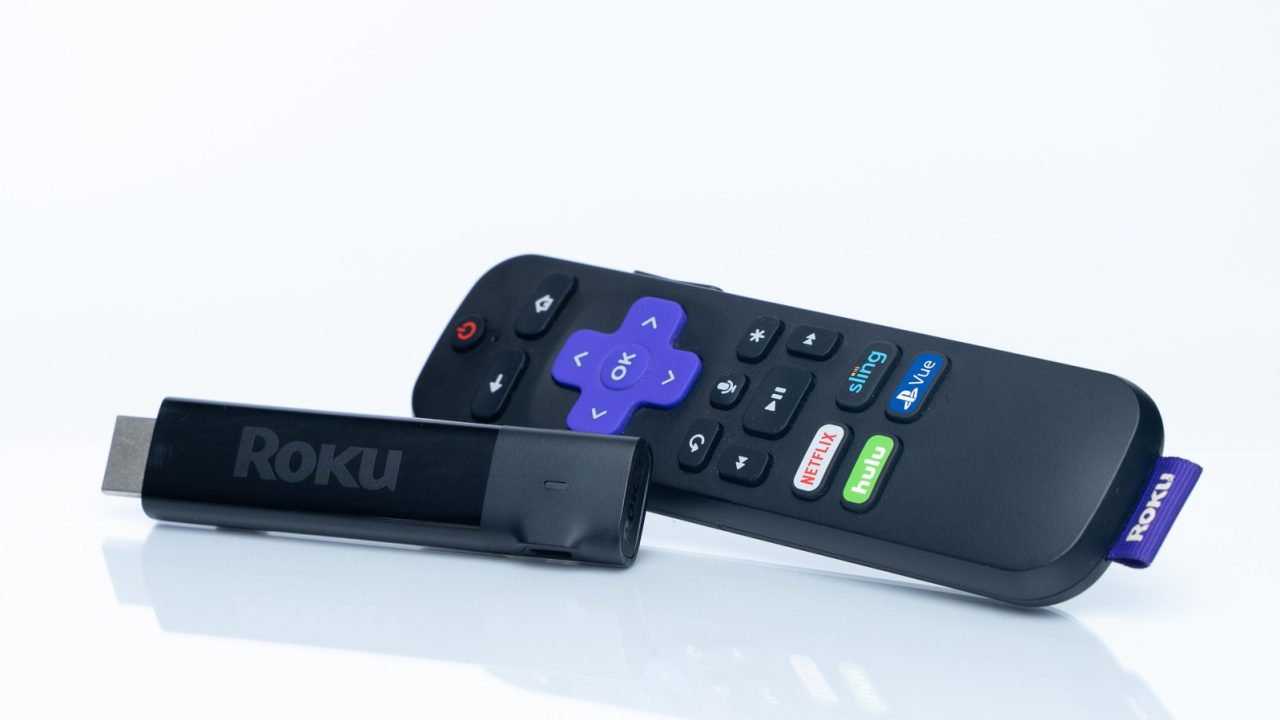
Consumers often worry about plugging Roku streaming devices into the wrong HDMI port, but this concern is largely misplaced. Most Roku hardware does not utilize exclusive features found in HDMI 2.1 or newer standards. Instead, they rely on specifications supported by HDMI 2.0, which is the baseline for virtually all modern televisions. Consequently, advanced formats such as 4K resolution, HDR10+, Dolby Atmos, and Dolby Vision function over HDMI 2.0, even if they do not reach their peak performance capabilities.
The primary difference between HDMI 2.0 and 2.1 involves refresh rates, with the latter enabling displays to run at 120Hz or higher. However, even the highest-end Roku Ultra model is capped at a 60Hz refresh rate, regardless of which input port is used. This limitation is acceptable for most viewing habits, as television programming and movies are typically broadcast at 24 frames per second, while news broadcasts run at 30 frames per second. The 60Hz ceiling is sufficient for streaming services like YouTube and Twitch, which commonly offer 60 frames per second content. Higher refresh rates are primarily beneficial for gaming, a use case outside the typical scope of a Roku streaming stick.
One exception exists in the form of the Roku Ultra, which supports a specific HDMI 2.1 feature known as Quick Media Switching (QMS). This technology allows the display to seamlessly adjust its refresh rate when switching between different content types, such as moving from a 30 frames per second news segment to a 24 frames per second cinematic playback. Without QMS, viewers may experience momentary black screens when the frame rate shifts.
While port compatibility is generally not an issue, users should be aware that certain TV manufacturers designate specific HDMI inputs for high dynamic range (HDR) standards like Dolby Vision. Additionally, some ports default to reduced capabilities to ensure broad compatibility. To access full modern functionality, users may need to navigate their TV’s input settings and switch a port to an “enhanced” mode. Checking the television manufacturer’s support documentation is recommended to identify which ports support HDR and which menu options need to be adjusted.
I just plug it in wherever there is space. Works fine 99 percent of the time.
Simpler is better. Why do companies keep making us think we need the most expensive port for movies?
My older TV only has HDMI 1.4, so this article is slightly irrelevant to my specific setup.
Good to know QMS is the only real issue. I hate those annoying black screens when channels switch.
I use my TV port for a game console, so I actually do care about the 2.1 difference.
Wait, so my Roku Ultra won’t hit 120hz? I thought streaming was supposed to be smoother. Bummer.
Finally someone explaining this clearly. I always worry about burning out my TV, but yeah, just check the settings.